What is OCO (One Cancels the Other) Orders?
Introduction
Navigating the fast-paced Indian stock market can be tricky, and managing risk while taking advantage of opportunities is the key to success. To help manage that, a good tool is the OCO order. However, what is OCO order and how can it help us in trading better in the volatile environment of equities and derivatives? Let's explore the OCO meaning, understand how OCO orders work, and see an OCO order example for better clarity of your trading process.
Understanding OCO Meaning
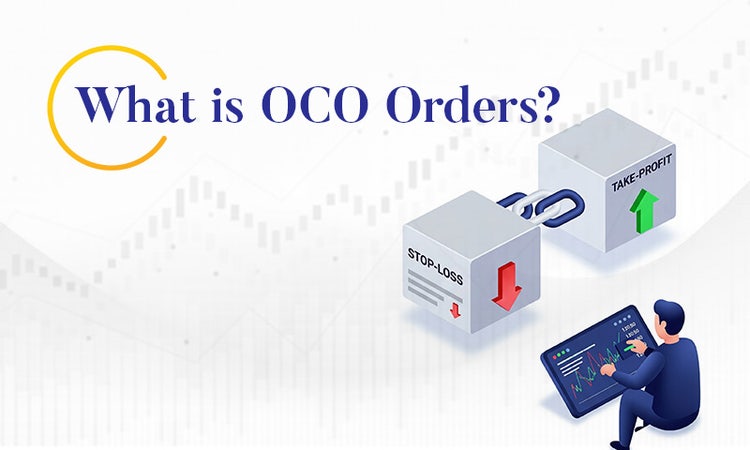
An OCO order (One Cancels the Other) is a pair of conditional orders placed at the same time, where if one order is filled, the other order is automatically cancelled. An OCO order can be thought of as two exit strategies for a trade, locking in profits and limiting losses. An OCO order allows you to automate your trade, and you shouldn't have to monitor stock prices as much when using OCO orders when the market price rises or declines.
In the fast-paced markets, where share prices like those in the Nifty 50 can swing with a significant minor blip (such as earnings reports or global cues), the OCO order allows you to trade in a disciplined manner. If you are a novice trader, dabbling in blue-chip stocks, or an experienced trader, trading in the futures and options markets, knowing what OCO order is and understanding its function will help you to take charge of your risk management, with ease.
Open Demat Account and Start Trading!
How do OCO Orders work?
An OCO order consists of a stop-loss order (to cap losses), combined with a take-profit order (to secure gains). When one of these orders can be executed because of market movement, the other cancels. So, you don't end up making contradictory decisions. This is useful in India's trading hours (9.15 AM to 3.30 PM), where market-price movement can happen quickly, especially in the wake of an RBI policy announcement or something equally volatile.
To illustrate, here is an OCO order:
You place an OCO order with:
- A take-profit order to sell at ₹220 (to capture a profit of ₹2,000).
- A stop-loss order to sell at ₹190 (to have losses capped at ₹1,000).
- If the stock price increases to ₹220, your take-profit order activates selling your shares and cancels the stop-loss order. If it falls to ₹190, the stop-loss order activates selling your shares and cancelling the take-profit order.
The automation allows you to be protected without having to monitor the market all day.
Why Use OCO Orders?
OCO orders offer an exciting prospect to Indian traders for many reasons:
• Risk Management: OCO orders allow you to establish predefined exit points, which limits your losses, and allows you to take profits, depending on your risk tolerance.
• Time Management: You no longer have to watch every tick on the Sensex or Nifty; OCO orders execute themselves, allowing you time to build your trading strategy.
• Emotional Control: Trading can sometimes feel like an emotional rollercoaster, especially during a market correction. OCO orders can protect you from having to make impulsive trading decisions that could go against your original trade plan
• Flexibility: OCO orders can be used on large-cap stocks or highly volatile mid-caps, depending on the market conditions of your portfolio.
Setting Up an OCO Trade
To do an OCO trade will consist of the following steps:
1. Decide on your stock or instrument: You will select your stock or derivative based on your views. To prove: you wish to trade on a banking stock since you found out through fundamental and technical analysis, it's in a bullish cycle.
2. Entry Price you want to pay: The price you are considering buying, say ₹500 for 200 shares.
3. Decide on the stop-loss and take-profit levels: Based on your risk-reward ratio, you decide on the stop-loss e.g. ₹480 and you want to take profit at ₹530. If you have a portfolio of ₹5,00,000 and are prepared to risk 1% (₹5,000), then your stop-loss level will meet this risk therefore it’s advisable that you set your profit levels using a similar limit.
4. Place the OCO order: Your trading platform will typically allow you to enter both orders as an OCO pair. Provided your platform has the function relating to the order. If the price hits the stop-loss first, the take-profit order is automatically cancelled, and vice versa. More importantly, if the market goes above take-profit order, the stop-loss order will cancel.
5. Monitor and adjust: OCO orders will automatically execute for you however; Its good practice to keep monitoring your orders every once in-a-while, especially if the market is going through any volatile times i.e., budget announcements, when you would want to see if your platform triggered the OCO trading before acting on your order.
Conclusion
Utilising One Cancels the Other orders is like a copilot in the hectic Indian markets. It can help you navigate random price swings, protect your capital, and lock in profit without having to constantly stress over it. By mastering OCO orders, you are not just trading. You are trading precisely and discipline. Start small, trial an OCO trade on a stock that you have traded before and see how it enhances your trading.